
Match your device type to your workers’ risk profile first, and the rest of the selection process becomes straightforward. For low-risk urban and office-adjacent roles, a smartphone lone worker app is the most cost-effective and scalable starting point. Workers in community-facing or duress-prone environments benefit most from a discreet Bluetooth wearable paired with a monitored app. Industrial and hazardous sites require dedicated, intrinsically safe hardware with certified gas detection and man-down capability. Remote or off-grid workers, where cellular coverage fails, need a satellite communicator as their primary safety link.
Quick picks by scenario:
- Urban/office-adjacent: Smartphone lone worker app (e.g., StaySafe by EcoOnline or SoloProtect app)
- Community-facing/duress risk: Bluetooth wearable panic tag paired with a monitored platform (e.g., PeopleSafe/Peoplesafe)
- Industrial/hazardous zones: Dedicated intrinsically safe device with NEC Class I Div 1 or IEC Zone 0 certification (e.g., Blackline Safety G7)
- Remote/off-grid: Satellite communicator (e.g., Garmin inReach)
- Built-in baseline: Apple iPhone Emergency SOS via satellite as a supplemental layer for staff already carrying iPhones
Your first operational step: identify your highest-priority lone worker group, pick the matching device category above, and run a 30-day pilot before committing to a full rollout. OSHA’s General Duty Clause holds employers accountable for effective communication and emergency response plans even without a single lone worker standard, and NIOSH guidance recommends applying the hierarchy of controls to isolated workers. Target high system availability for any monitoring solution you deploy, aiming for reliable performance.
Table of Contents
- What are the main types of lone worker safety devices?
- What features should you require in a lone worker monitoring device?
- How do leading lone worker devices compare in real deployments?
- What does a lone worker device program actually cost?
- How do you evaluate vendors and run a successful pilot?
- How do you build a lone worker program around your devices?
- What is the right device for your situation?
- Key Takeaways
- The gap between a device and a safety program
- How Hubsecurityandinvestigativegroup supports lone worker device rollouts
- Useful sources for further review
What are the main types of lone worker safety devices?
Lone worker safety equipment falls into three core categories, and choosing the wrong one for your environment is the most common procurement mistake we see. Industry frameworks consistently segment the market this way:
Smartphone lone worker apps
These run on an employee’s existing iOS or Android device, making them the fastest to deploy and the lowest upfront cost. They deliver manual SOS, scheduled check-ins, GPS location sharing, and, on newer hardware, fall detection. StaySafe by EcoOnline and SoloProtect’s app tier are well-known examples used across U.S. healthcare, property management, and community care organizations.
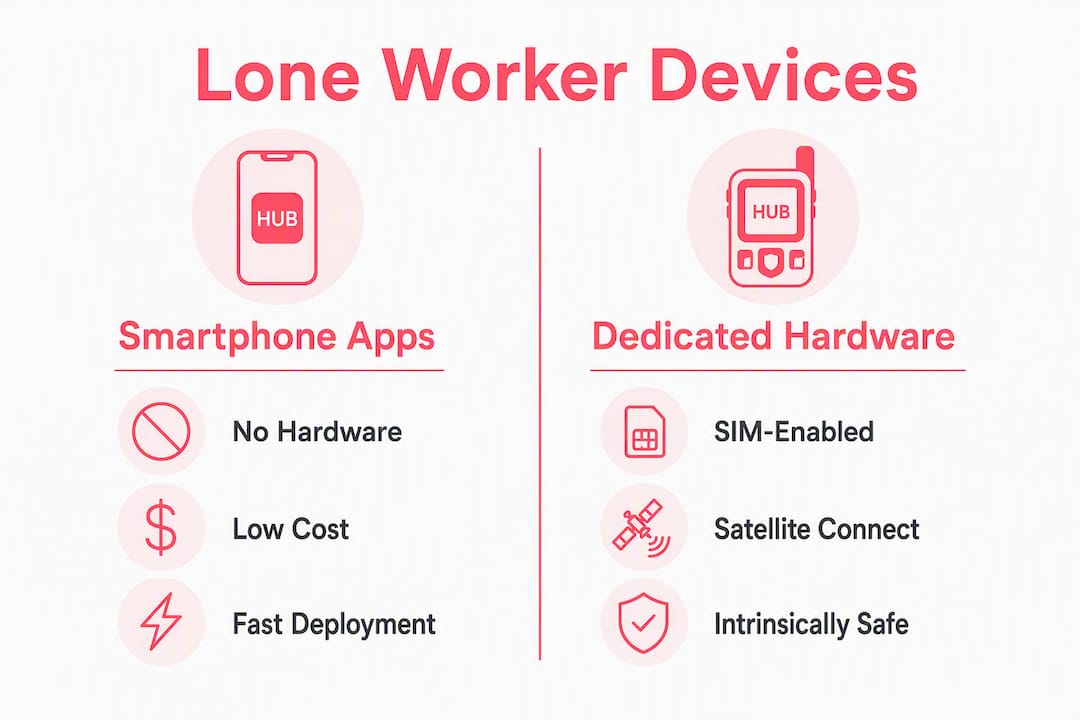
Pros: No additional hardware to procure or manage; scales to large workforces quickly; integrates with existing MDM platforms.
Cons: Dependent on the worker’s phone battery and cellular coverage; not suitable for hazardous zones where a smartphone may not be intrinsically safe.
Bluetooth and wearable panic tags
Small wearable devices, worn as a badge, lanyard clip, or wristband, that pair with a smartphone or a local gateway. When the worker triggers an alert or a man-down event is detected, the signal routes through the paired phone or gateway to a monitoring platform. PeopleSafe/Peoplesafe and SoloProtect’s ID device are representative examples.

Pros: Discreet; works even when the phone is pocketed or out of reach; adds a dedicated panic button independent of the phone screen.
Cons: Requires a phone or gateway in range; Bluetooth range limits apply in large facilities.
Dedicated hardware (SIM-enabled and satellite)
Standalone devices with their own SIM card or satellite modem, designed to operate without a paired phone. Blackline Safety’s G7 series sits in the SIM-enabled tier, combining cellular connectivity, GPS, gas detection, and two-way voice in a single rugged unit. Garmin inReach devices use the Iridium satellite network, making them the standard choice for remote agricultural, offshore, and highland environments where cellular coverage is absent.
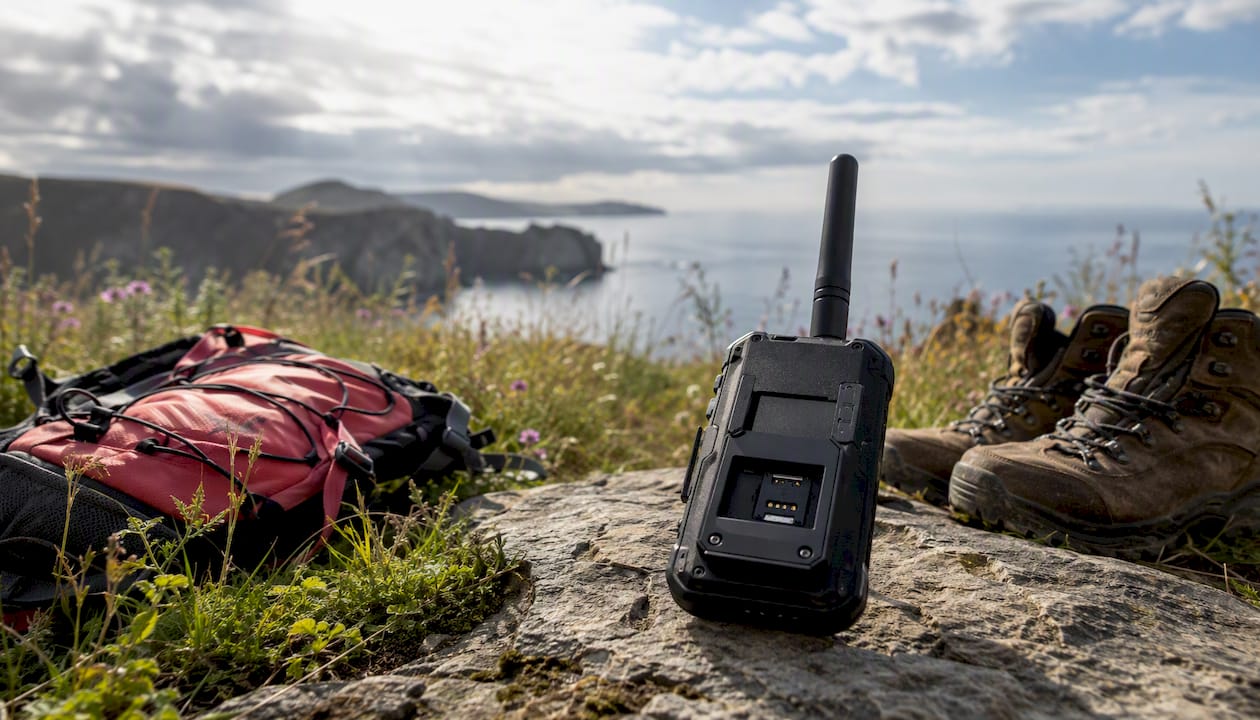
Pros: Fully standalone; satellite variants work anywhere on Earth; industrial models carry hazardous-area certifications.
Cons: Higher upfront hardware cost; satellite airtime adds to monthly TCO; heavier and bulkier than a wearable tag.
| Category | Best for | Connectivity | Intrinsically safe option | Typical upfront cost |
|---|---|---|---|---|
| Smartphone app | Urban, office, community care | Cellular (phone) | No | Low (SaaS only) |
| Bluetooth wearable | Duress-prone, healthcare, retail | Bluetooth + cellular (phone) | Some models | Low to moderate |
| Dedicated SIM device | Industrial, utilities, construction | Cellular (own SIM) | Yes (select models) | Moderate to high |
| Satellite communicator | Remote, offshore, agricultural | Satellite (Iridium/Globalstar) | Some models | High |
A hybrid approach, pairing a wearable tag with a smartphone app, gives you both discreet panic activation and GPS location without requiring a full hardware rollout. For hazardous zones, confirm that every device in the chain carries the appropriate NEC Class I Div 1 or ATEX/CSA rating before deployment.
What features should you require in a lone worker monitoring device?
The feature list below is a defensible procurement checklist, not a wish list. Every item here maps to a real failure mode we have seen in the field.
Core feature checklist
- Connectivity type: Cellular (4G/LTE) for most deployments; satellite for remote sites; Bluetooth as a secondary layer for indoor precision. Multi-bearer failover, where the device switches from cellular to satellite automatically, is worth specifying for workers who cross coverage boundaries.
- Location accuracy: Standard GPS is sufficient for outdoor, open-sky environments. Assisted GPS (A-GPS) improves fix time in urban canyons. For precise indoor positioning, UWB RTLS delivers sub-meter accuracy and is the right specification when rapid indoor response is required.
- Detection capabilities: Manual SOS is the baseline. Fall/man-down detection and inactivity (no-motion) alerts are the next tier. Gas detection is required for confined space and industrial environments.
- Two-way voice: A speakerphone or two-way audio channel lets a monitoring agent confirm the situation before dispatching a response team, reducing unnecessary emergency callouts.
- Battery life: Minimum 12 hours of active use for a full shift; 24+ hours preferred for extended or double-shift environments.
- Durability and certifications: IP67 or higher for outdoor and wet environments. NEC Class I Div 1 (U.S.) or IEC Zone 0 certification for hazardous areas. Modern industrial wearables integrate gas detection, man-down, GPS, SOS, and two-way voice in a single certified unit.
- Monitoring model: Self-monitoring (manager receives alerts), 24/7 monitored ARC (Alarm Receiving Centre), or platform-integrated (API feeds your existing incident management system).
Operational and security requirements
Target system availability of 98% or higher; anything below 95% indicates a systematic failure requiring immediate re-evaluation. Confirm that the vendor’s SLA covers both device uptime and monitoring centre availability, not just server uptime. For data security, ask specifically about data retention periods, access controls, and how location data is stored and who can query it. Employee privacy concerns are real, and NIOSH recommends evaluating the psychosocial impacts of monitoring technologies as part of your program design.
Pro Tip: Before finalizing a device, request the vendor’s false-positive rate data for man-down detection in your specific motion profile. A device calibrated for office workers will generate excessive false alarms on a construction site where workers regularly crouch, kneel, and operate vibrating equipment. High false-positive rates erode worker trust and cause alert fatigue in monitoring teams.
| Feature | Smartphone app | Bluetooth wearable | Dedicated SIM device | Satellite device |
|---|---|---|---|---|
| Manual SOS | ✓ | ✓ | ✓ | ✓ |
| Fall/man-down detection | Some | Some | Yes (most) | Some |
| GPS location | ✓ | Via phone | ✓ | ✓ |
| Two-way voice | Via phone | Via phone | Yes (select) | Yes (select) |
| Gas detection | No | No | Yes (select) | No |
| Intrinsically safe | No | Some | Yes (select) | Some |
| 24/7 monitoring option | Yes | Yes | Yes | Yes |
| Battery life (typical) | Phone-dependent | 12–24 hrs | 12–24 hrs | 100+ hrs |
How do leading lone worker devices compare in real deployments?
This comparison covers representative device types and named examples commonly deployed across U.S. workplaces. No single product is the universal best; the right choice depends on your environment, risk level, and monitoring model.
| Device / Platform | Best for | Connectivity | Detection | Location | Two-way voice | Durability | Monitoring model |
|---|---|---|---|---|---|---|---|
| Blackline Safety G7 | Industrial, oil & gas, utilities | Cellular + satellite failover | SOS, man-down, gas, inactivity | GPS + A-GPS | Yes | NEC Class I Div 1 | 24/7 monitored |
| StaySafe (EcoOnline) | Healthcare, community care, field services | Cellular (smartphone app) | SOS, check-in, man-down (phone sensor) | GPS | Via phone | Standard (phone-dependent) | 24/7 monitored or self |
| Peoplesafe | Community care, lone retail, social workers | Cellular + Bluetooth wearable option | SOS, man-down, amber alert | GPS | Yes (app) | Standard + wearable option | 24/7 monitored ARC |
| SoloProtect ID | Healthcare, housing, community-facing | Cellular (dedicated device) | SOS, man-down, amber alert | GPS | Yes | Rugged, IP-rated | 24/7 monitored |
| Garmin inReach (Mini 2 / Messenger) | Remote, agricultural, offshore, hiking | Satellite (Iridium) | SOS (manual) | GPS | Yes (two-way messaging) | IP67 | GEOS, 24/7 monitored |
| Apple iPhone Emergency SOS via satellite | Supplemental layer, urban/suburban | Satellite (supplemental) | SOS (manual) | GPS | Standard phone durability | Self / emergency services |
Scenario-specific notes
- Construction: Blackline Safety G7 or equivalent intrinsically safe SIM device, paired with construction site security guard services for on-site response capability.
- Healthcare and community care: StaySafe or Peoplesafe app-based solutions with 24/7 monitoring; amber alert features are particularly relevant for social workers visiting high-risk addresses.
- Utilities and pipeline: Dedicated SIM devices with gas detection and NEC Class I Div 1 certification; multi-bearer failover is worth the added cost in areas with patchy cellular.
- Offshore and remote agricultural: Garmin inReach or equivalent Iridium-based device; no cellular dependency.
- Urban low-risk (property management, facility maintenance): Smartphone app tier is sufficient and the most cost-effective entry point.
Apple’s built-in Emergency SOS via satellite, available on iPhone 14 and later, is a useful supplemental layer for staff who already carry iPhones, but it is not a substitute for a purpose-built lone worker monitoring solution with check-in scheduling, man-down detection, and a monitored escalation path.
What does a lone worker device program actually cost?
Hardware is only one line item. A realistic total cost of ownership (TCO) budget covers five areas: device hardware, connectivity (SIM or satellite airtime), monitoring centre fees, platform/software subscription, and lifecycle costs.
| Device tier | Typical upfront (per device) | Monthly subscription (per user) | 24/7 monitoring add-on | Notes |
|---|---|---|---|---|
| Smartphone app (SaaS) | $0 (uses existing phone) | $5–$20 | Included or +$5–$10 | Volume discounts common at 50+ seats |
| Bluetooth wearable | $50 | $10–$25 | Included or separate | Gateway hardware may add cost |
| Dedicated SIM device | $200 | $20–$50 | Often included | SIM plan + device replacement cycle |
| Satellite communicator | $350 | $25 (airtime plan) | GEOS or equivalent | Airtime overages can be significant |
Hidden costs that procurement teams consistently underestimate:
- Platform integration fees: API connections to your HR, incident management, or dispatch system often carry a one-time setup fee.
- Monitoring centre fees: 24/7 Alarm Receiving Centre (ARC) monitoring is sometimes bundled, sometimes billed separately per alert or per seat.
- Replacement devices: Budget for a 10–15% annual replacement rate for field-deployed hardware.
- Intrinsically safe recertification: Devices modified or repaired in the field may require recertification, which carries a cost and a lead time.
- Training: Initial onboarding and annual refresher training for both workers and supervisors.
- Data plan overages: Satellite airtime plans have message or data caps; overages on Iridium plans can be expensive.
Negotiating levers worth using:
- Request pilot-to-rollout pricing that locks in the per-seat rate from your pilot phase.
- Ask for volume tier pricing at 25, 50, and 100+ seats before signing.
- Bundle monitoring hours into the base contract rather than paying per-alert.
- Negotiate a device replacement clause for units that fail within the first 12 months.
How do you evaluate vendors and run a successful pilot?
Treating device selection as the safety strategy is a documented procurement mistake. Regulators prioritize tested escalation and response procedures over hardware alone, and an OSHA General Duty Clause citation can follow when employers issue devices that fail in the field because coverage was never confirmed.
Vendor evaluation checklist
- Certifications: Confirm the device carries the certifications required for your specific zones (IP rating, NEC Class I Div 1, ATEX, or CSA as applicable). Do not over-specify: matching certification to the actual zone preserves device capability in non-hazardous areas and avoids unnecessary cost.
- Coverage proof: Require a coverage map or on-site signal test for your specific locations. Issuing a phone without confirming coverage is a regulatory weakness under the General Duty Clause.
- SLA and uptime commitments: Get the uptime guarantee in writing, covering both device connectivity and monitoring centre availability. Reject any SLA below 98%.
- API and integration capabilities: Confirm the platform can push alerts to your existing incident management or dispatch system.
- Reference deployments: Ask for references from organizations in your industry and of similar size. A vendor with no comparable deployments is a risk.
- Data security posture: Request documentation on data encryption, retention periods, and access controls. Confirm compliance with applicable state privacy laws.
- False-positive management: Ask specifically how the platform handles false alarms, what the escalation path looks like, and what your liability exposure is for a missed real alert.
Red flags to walk away from
- Escalation path is unclear or undocumented
- Vendor cannot or will not test in your environment before contract signing
- Uptime SLA is below 98% or is not specified
- No transparent process for managing false positives
- Missing intrinsically safe certification for a hazardous-area deployment
30-day pilot template
- Define scope: Select one worker group (10–20 workers), one site or territory, and one device category.
- Set success metrics: Response time from alert to acknowledgment (target under 3 minutes for monitored solutions), false-positive rate (target under 5% of alerts), battery life performance against spec, and worker adoption rate.
- Run the pilot for 30 days: Include at least one full shift cycle, one weekend or after-hours period, and one simulated emergency drill.
- Rehearse escalation: Conduct at least two live escalation drills during the pilot, including a no-signal scenario where the device loses connectivity.
- Review and decide: Score against your success metrics. If the device meets all four, proceed to full rollout. If it fails on any metric, re-evaluate the device category or vendor before scaling.
How do you build a lone worker program around your devices?
Hardware without a program is a compliance liability, not a safety solution; ensure your protocols include thorough safety and compliance documentation to meet regulatory expectations. An effective lone worker safety protocol requires a documented risk assessment, defined zone and task classification, check-in intervals, technology requirements per risk level, and a documented escalation procedure. OSHA investigators look first for a functional response protocol, not a device specification sheet.
Program build checklist:
- Conduct a documented risk assessment for every lone worker role, classifying zones by hazard level and task type. Use your workplace threat assessment framework to map risk levels to device requirements.
- Define check-in cadences by risk level: High-risk roles (confined space, hazardous materials) warrant check-ins every 15–30 minutes. Lower-risk roles may use hourly or session-based check-ins. Organizations are shifting to tiered, role-based check-in frequencies rather than one-size-fits-all rules.
- Document escalation procedures: Define exactly what happens when an alert fires: who receives it, in what order, with what response time target, and who dispatches a physical response if needed.
- Issue privacy notices: Workers must understand what data is collected, how long it is retained, who can access it, and under what conditions. NIOSH recommends evaluating the psychosocial impacts of monitoring as part of program design.
- Deliver onboarding training: Every worker using a device needs hands-on training before their first solo shift. Supervisors need training on alert management and escalation.
- Establish a maintenance schedule: Inspect and test devices quarterly. Replace batteries and firmware-update units on a defined cycle. Recertify intrinsically safe devices after any repair.
- Set a review cadence: Program documents should be reviewed annually or when equipment or roles change to keep escalation paths and device assignments accurate. Integrate device assignments into your corporate security policy so they are not managed in isolation.
Statistic callout: Industry guidance sets a high system availability target; notably low availability is considered a systematic program failure requiring immediate remediation, not a routine maintenance issue.
Pro Tip: During your pilot, deliberately test two failure scenarios: a device that loses cellular signal mid-shift, and a worker who does not respond to a check-in prompt. Walk the full escalation path both times, timing every step. Most programs discover gaps in their escalation chain during these exercises that would have been invisible in a purely technical device test.
Integration checklist:
- Monitoring centre option confirmed (self, 24/7 ARC, or hybrid)
- Alert feeds connected to incident management platform via API
- Field supervisor escalation path documented and tested
- Response team or security partner briefed on alert types and response protocols
What is the right device for your situation?
The decision comes down to four variables: risk level, environment, connectivity, and monitoring model. Here is a concise final pick by scenario:
- Urban, low-risk (property management, facility maintenance, office-adjacent): Start with a smartphone lone worker app. It is the fastest to deploy, the lowest cost, and sufficient for the risk profile. Require 24/7 monitored escalation even at this tier.
- Community-facing, duress risk (social workers, healthcare visitors, housing officers): Add a Bluetooth wearable panic tag to the app. The wearable gives workers a discreet, one-touch alert that does not require unlocking a phone under duress.
- Industrial and hazardous (construction, utilities, confined space, oil and gas): Specify a dedicated intrinsically safe SIM device with gas detection, man-down, and NEC Class I Div 1 certification. Pair it with on-site armed security or guard services for physical response capability.
- Remote and off-grid (agricultural, forestry, offshore, pipeline): Satellite communicator is the only reliable option. Garmin inReach or equivalent Iridium-based devices provide global coverage with 24/7 monitoring through GEOS or a comparable response centre.
When to bring in a security services partner: if your deployment involves multiple sites, complex escalation paths, or workers whose roles carry physical threat risk, a managed security partner adds the response layer that devices alone cannot provide. Devices detect and alert; trained responders resolve. That distinction matters most when response time is measured in minutes.
Key Takeaways
The single most important decision in any lone worker program is matching device type to worker risk profile before evaluating vendors, because hardware deployed without a tested escalation procedure creates compliance exposure, not safety.
| Point | Details |
|---|---|
| Match device to risk profile | Smartphone apps for low-risk urban roles; dedicated intrinsically safe hardware for industrial and hazardous zones; satellite for remote sites. |
| Require 98% system availability | Target 98%+ uptime in your vendor SLA; treat anything below 95% as a program failure requiring immediate remediation. |
| Budget full TCO, not just hardware | Include SIM/airtime, 24/7 monitoring fees, training, replacement devices, and integration costs in every procurement proposal. |
| Policy and training are non-negotiable | A documented risk assessment, tested escalation procedure, and worker training are what regulators check first, not the device spec sheet. |
| Hubsecurityandinvestigativegroup adds the response layer | For complex or multi-site deployments, Hubsecurityandinvestigativegroup provides on-site assessment, response-team coordination, and policy development to complement device-based monitoring. |
The gap between a device and a safety program
Most safety managers we work with arrive at device selection having already done the hard thinking about risk profiles and escalation paths. The procurement process then narrows their focus to hardware specs and subscription costs, and the program controls quietly fall behind.
The pattern worth watching for is this: a well-specified device deployed without a rehearsed escalation procedure. The device fires an alert. The monitoring platform acknowledges it. And then the response chain stalls because no one has confirmed who dispatches a physical responder, what their response time target is, or whether they know the site layout. That gap is where incidents become serious outcomes.
Pilot testing is where you find it. Not in a vendor demo, not in a coverage map, but in a live drill where you time every step from alert to physical presence on site. Two drills during a 30-day pilot, one during business hours and one after hours, will surface more program gaps than six months of passive monitoring.
The other underappreciated variable is false-positive management. A device that generates frequent false alarms trains your monitoring team to treat alerts as noise. That erosion of trust in the system is a safety failure, even if the device is technically functioning. Ask every vendor for their false-positive rate data in environments comparable to yours before you sign anything.
How Hubsecurityandinvestigativegroup supports lone worker device rollouts
Devices detect. Trained security professionals respond. For organizations deploying lone worker safety equipment across complex or high-risk sites, the gap between an alert and a resolved incident is where Hubsecurityandinvestigativegroup delivers the most value.
Established in 2004 and drawing on over seventy-five years of combined law enforcement and loss prevention expertise, Hubsecurityandinvestigativegroup provides the on-the-ground services that make device-based programs operationally complete. We conduct site assessments to map coverage gaps and zone classifications before you commit to a device category. We integrate with your monitoring platform to provide a physical response layer when alerts escalate beyond what a remote monitoring centre can resolve. For construction sites, industrial facilities, and multi-site organizations, our construction site security and building security services teams can be briefed on your device alert protocols and positioned as the first physical responders in your escalation chain.
Contact Hubsecurityandinvestigativegroup to schedule a site assessment and discuss how we can integrate response-team coordination into your lone worker pilot.
Useful sources for further review
- OSHA 1915.84 Working Alone Standard: The specific OSHA regulation governing lone workers in shipyard employment; consult for regulatory compliance requirements and check-in interval obligations.
- OSHA General Duty Clause and Lone Worker Standards (LegalClarity): Plain-language explanation of how the General Duty Clause applies to lone workers across industries; use for regulatory compliance and penalty context.
- NIOSH Lone Worker Partnership Bulletin (CDC): Federal guidance on applying the hierarchy of controls to lone workers and evaluating monitoring technology impacts; consult for program design and privacy considerations.
- Lone Worker Safety Systems Selection Framework (Clover IQ): Technical selection framework covering uptime targets, hazardous-area certifications, and false-positive management; the primary reference for procurement checklists and pilot design.
- Lone Worker Safety 2026: Risk Assessment and Legal Requirements (SmartQHSE): Comprehensive guide to risk assessment documentation, escalation procedure requirements, and satellite device selection for remote environments.
- Personal Safety Devices for Lone Workers (SafetyCulture): Overview of the three device categories with use-case guidance; useful for initial category selection.
- Five Safety Technology Shifts for Lone Workers in 2026 (OHS Online): Current trends in tiered safety measures and role-based escalation paths; consult for program design and review cadence guidance.
- Lone Worker Safety: Risks, Regulations, and Solutions (Litum): Technical brief on UWB RTLS for indoor positioning and broader lone worker risk context; consult for indoor location accuracy requirements.
- Using Lone Worker Monitoring Technology (NSC): National Safety Council white paper on monitoring technology deployment options including wearables, apps, and integrated platforms.
- Lone Worker Policies: What Businesses Need to Know (Cardinus): Guidance on maintaining living policy documents and annual review cadences; consult for program governance and documentation requirements.
Recommended
- Employee Device Monitoring : 5 Great Reasons to Hire Hub Security and Investigative Group for Employee Device Monitoring – Hub Security & Investigative Group
- Workplace Threat Assessment: A 2026 Guide for HR and Security Pros – Hub Security & Investigative Group
- Staying Hydrated in Security: Why Water is Essential for Armed Guards – Hub Security & Investigative Group