
Your visitor management policy must, at minimum, define who counts as a visitor, require verified check-in and visible credentials, set escort and restricted-area rules, and document data handling and retention, plus a defined enforcement and review process. That is the compliance floor. Everything else, from badge design to biometric consent language, builds on top of it.
We wrote this guide because too many policies we review at Hub Investigative Group are either three pages of vague hospitality language or forty pages nobody on the front desk has actually read. Neither protects your building, your data, or your legal position. A workable visitor management policy hits the requirements below and stays short enough that a new hire can learn it in one shift.
Before you draft or revise anything, take these steps:
- Pull the sample clauses in this guide and adapt them to your site’s risk level.
- Run a quick regulatory scan: does HIPAA, FERPA, ITAR, or a state privacy law apply to your facility?
- Schedule a 30-minute training session for front-desk staff and hosts once the policy is signed off.
Named frameworks like HIPAA and OSHA set real floors for what your documentation has to show, and firms like Hub Investigative Group build enforcement procedures around exactly these standards every day.
Key Takeaways
A visitor management policy holds up under audit only when its check-in, escort, data retention, and enforcement rules are documented, trained, and reviewed on a fixed schedule.
| Point | Details |
|---|---|
| Define scope first | Spell out who counts as a visitor and which hours and areas the policy covers before writing any other clause. |
| Match retention to the strictest law | Configure data retention to the toughest regulation that applies to your site, then automate purging. |
| Make hosts accountable | Require host approval and escort confirmation inside your VMS workflow, not just a verbal agreement. |
| Train every role separately | Front-desk staff, hosts, and security officers each need distinct training tied to their specific duties. |
| Review on a fixed cadence | Revisit the policy annually, after incidents, and whenever a relevant regulation changes. |
Table of Contents
- Visitor Management Policy Requirements: The Full Checklist
- Regulatory and Standards Mapping for Visitor Policies
- How to Operationalize Your Visitor Policy Day to Day
- What Visitor Data You Should Collect, Retain, and Purge
- Training, Enforcement, and Incident Response
- Copy-Ready Clauses and Sign-In Field Templates
- Rolling Out Your Policy: Checklist and KPIs
- Field Perspective: What Working Security Teams Do Differently
- An Editorial Take on Building a Policy That Actually Holds Up
- Frequently Asked Questions
- Sources
Visitor Management Policy Requirements: The Full Checklist
A policy that actually works reads like a checklist, not a mission statement. Break it into modular sections so different departments (facilities, HR, legal) can review just their piece.
1. Scope and definitions
Spell out who counts as a “visitor” versus a contractor, vendor, interviewee, or former employee. Define which buildings, floors, or hours the policy covers. A visitor policy that only applies “during business hours” leaves your evening cleaning crew and weekend deliveries in a gray zone.
2. Pre-registration and host approval
Require hosts to submit visitor details before arrival wherever practical. Standard fields include:
- Full legal name and organization/affiliation
- Host name and department
- Purpose of visit
- Expected arrival window and departure time
- Specific areas the visitor needs to access
Pre-registration cuts front-desk delays and gives security a chance to run watchlist checks before someone is standing in the lobby.
3. Arrival procedures
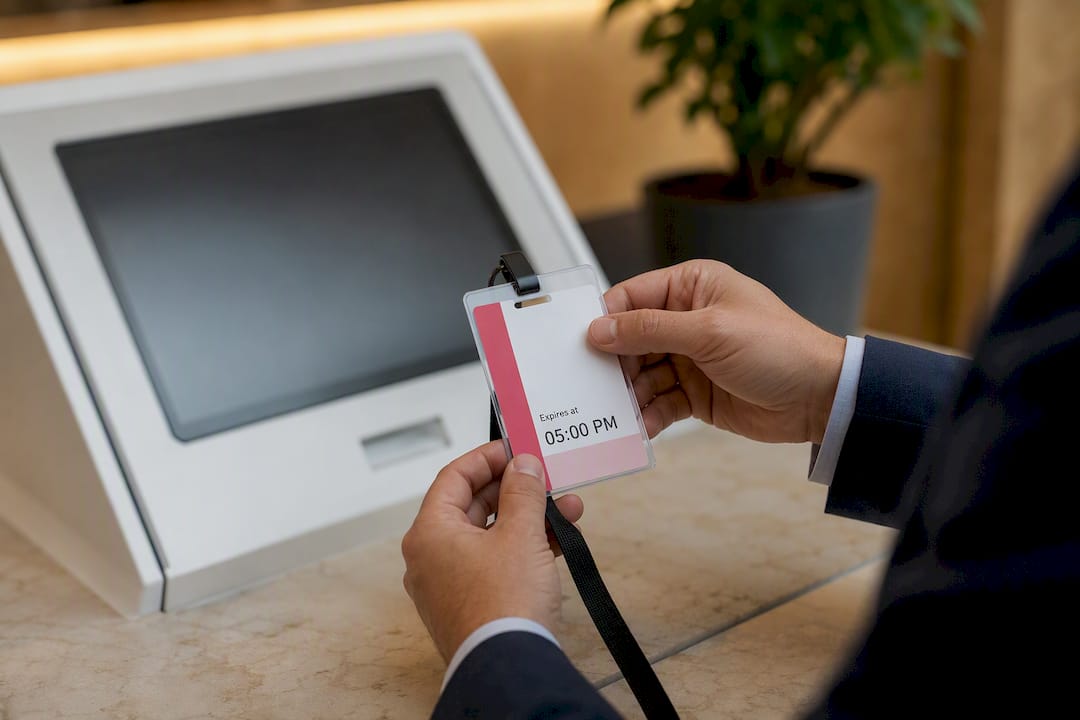
Specify acceptable ID types (government-issued photo ID is the common baseline), whether photos are captured at check-in, and how badges are designed and expired. Badges should visibly differ by access level, color-coded badges for general visitors versus contractors work well, and every badge should carry a printed expiration time or date so staff can spot an outdated one at a glance. State clearly whether hosts must personally greet visitors or whether a staff escort suffices.
4. Vendor and contractor requirements
Contractors need a separate track. Require proof of insurance, applicable permits, and a documented safety briefing before they access working areas. For ongoing contractor relationships, issue time-bound credentials rather than indefinite badges, and require periodic re-verification of licenses and training certificates, a practice detailed in Hub Investigative Group’s construction site security guidance.
5. Restricted-area access
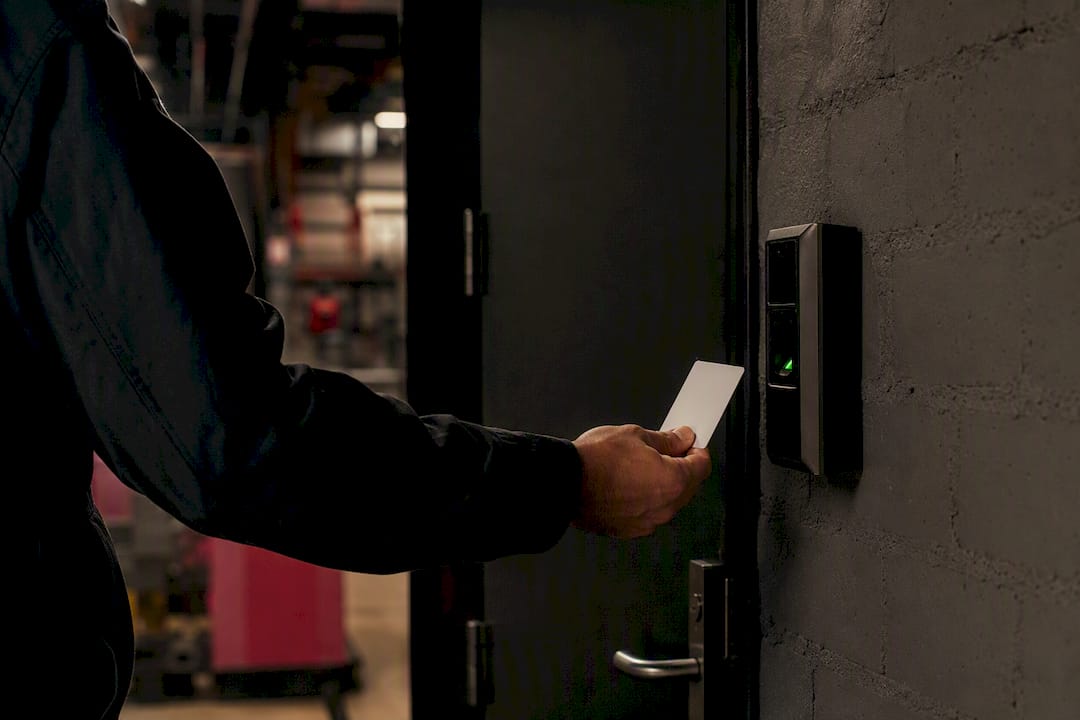
Any area housing sensitive data, controlled technology, or hazardous materials needs its own authorization workflow. Temporary access credentials should expire automatically at shift’s end, and every grant of restricted access should be logged with who approved it and why.
6. Exceptions and emergency responders
Firefighters, police, and EMS personnel responding to an active incident should never be delayed by check-in procedures. Write an explicit carve-out for emergency responders, and note it prominently in training so front-desk staff don’t hesitate during a real emergency.
Regulatory and Standards Mapping for Visitor Policies
Different industries face different documentation burdens, and knowing which ones apply to your facility determines how strict your policy needs to be.
HIPAA. Facilities with protected health information need physical safeguards controlling access to ePHI areas, and records tied to those controls generally need to be retained for six years. If your visitor logs ever intersect with patient areas, your policy needs a documented access-control tie-in, not just a sign-in sheet. Hub Investigative Group’s medical facility security resources cover this in more depth.
FERPA. Schools must verify a visiting adult’s relationship to a student (guardian, authorized pickup contact) and keep visitor logs separate from education records so the two data sets never mix in a way that violates student privacy.
ITAR and export controls. Facilities handling controlled technical data must verify U.S. person status before granting access to certain areas, apply licensing rules for foreign visitors, and mandate escorts at all times in controlled zones.
SOC 2 and ISO frameworks. Auditors expect time-stamped visitor logs, role-based access to that data, and a clear audit trail showing who reviewed the logs and when.
OSHA. Your policy needs to support emergency accounting, meaning every visitor on-site must be countable during an evacuation, and safety briefings for anyone entering hazardous zones.
ADA. Check-in kiosks must meet reach and clearance requirements so visitors using wheelchairs can operate them without assistance, a detail LegalClarity’s guidance on visitor management calls out specifically.
State privacy laws. Most require data minimization, meaning you collect only what you need, and retention that is proportional to your actual business purpose, not indefinite storage “just in case.”
A compliance checklist mapping VMS retention settings recommends configuring your system to the strictest applicable regulatory standard rather than running separate retention rules for every department, which keeps audits simpler and reduces the chance of accidentally purging (or over-retaining) records.
How to Operationalize Your Visitor Policy Day to Day
A policy is only as good as the front-desk workflow that executes it. Start with a basic decision: kiosk-based check-in or staffed check-in? Kiosks scale well for high-traffic lobbies but need a human backup for ID verification disputes and ADA compliance. Staffed check-in gives you a live witness for consent and ID checks, which matters more in regulated or high-security environments.
Whichever model you choose, your visitor management system (VMS) should be configured with:
- Required pre-registration fields matching the ones in your policy document
- Automatic host approval workflows before a visitor is marked “expected”
- Watchlist or deny-list screening triggered at the pre-registration or check-in step
- Badges with expiring tokens tied to the visitor’s approved departure time
- Sync with access-control systems so badge deactivation happens automatically at expiration
Front-desk scripts matter more than most policies acknowledge. Staff need a consistent line for verifying escorts, confirming badge return at checkout, and logging departure times, not an improvised conversation that varies by shift. Hub Investigative Group’s review of enterprise visitor management systems covers configuration choices that support this kind of consistency.
Pro Tip: Build host acknowledgment into your VMS workflow. When a host has to click “approve” and “escort confirmed” before a badge prints, you create an accountability trail that holds up far better in an incident review than a verbal promise at the front desk.
Real-time visitor rosters, tied into your emergency management plan, let you produce an accurate headcount within minutes of an evacuation alarm. Paper sign-in sheets routinely miss people who never signed out, which is exactly the gap that turns a routine drill into a chaotic accountability failure.
What Visitor Data You Should Collect, Retain, and Purge
Collect only what your policy actually needs to function: name, host, purpose, time in and out, and organizational affiliation. Resist the temptation to add fields “just in case,” social security numbers, home addresses, or vehicle plates rarely belong in a general visitor log, and collecting them creates liability without adding security value.
Retention periods should map to whichever regulation is strictest for your facility. As a reference point, HIPAA-related access records generally call for six years of retention, while ITAR-related visitor records are typically kept for five. A compliance checklist for VMS configuration recommends setting your system to the longest applicable window and enabling automatic purge workflows once that window closes, rather than manually tracking deletion dates across multiple regulatory calendars.
Security controls should include:
- Encryption for data at rest and in transit
- Role-based access limiting who can view or export visitor records
- Audit logging every time a record is accessed
- A signed data processing agreement with any third-party VMS vendor
Biometric data (fingerprints, facial recognition templates) and photos need heightened handling. Treat biometric templates as sensitive data requiring stronger security and defined disposal timelines, since several state privacy laws and federal guidance now hold biometric identifiers to a higher standard than a name and visit time. Give visitors a clear notice at check-in explaining what is collected and why, and build a simple process for handling correction or deletion requests.
Training, Enforcement, and Incident Response
A policy without enforcement teeth is a suggestion. Build these elements in from the start:
- Train every role that touches visitors. Front-desk staff, hosts, and security officers each need a distinct training module, because their responsibilities under the policy differ.
- Document every enforcement action. Denied entries, removals, and trespass warnings should be logged with time, reason, and the staff member who acted, creating a record you can point to if a decision is ever challenged.
- Set clear de-escalation thresholds. Define exactly when a situation escalates from a polite refusal to a call to law enforcement, and train staff on the language to use at each stage.
- Hold hosts accountable too. A host who repeatedly fails to meet visitors or misuses escort privileges should face a defined disciplinary step, not a shrug.
- Review the policy on a fixed schedule. Annually at minimum, and immediately after any security incident or a change in applicable regulation.
Copy-Ready Clauses and Sign-In Field Templates
Below are short clause starters you can adapt directly into your policy document.
- Scope: “This policy applies to all individuals who are not employees and who access [Company] facilities during any hours the building is occupied.”
- Check-in: “All visitors must present valid government-issued photo identification and complete pre-registration or on-site check-in before entering non-public areas.”
- Escorts: “Visitors without an approved unescorted access credential must be accompanied by their host at all times while inside restricted areas.”
- Data handling: “Visitor data is retained for [X] days/years in accordance with [applicable regulation] and is accessible only to authorized personnel.”
Recommended sign-in fields: name, host, organization, and purpose of visit should be required; phone number and vehicle information can stay optional unless your risk assessment says otherwise. For HIPAA or ITAR environments, add a checkbox confirming the visitor has received the relevant notice or restriction briefing. School sites under FERPA should add a guardian-relationship field. Keep a version log on the document itself (date, editor, summary of change) so you can prove which policy version was active during any given incident.
Rolling Out Your Policy: Checklist and KPIs
A phased rollout keeps the policy from stalling in committee. Assign a clear owner to each phase:
- Leadership sign-off on the final policy document
- Pilot the check-in flow at one entrance or building for two to four weeks
- Collect front-desk and host feedback, then adjust
- Train all remaining staff
- Full roll-out across every site
Track these KPIs to know whether the policy is actually working:
| KPI | What good performance looks like |
|---|---|
| Pre-registration rate | Most visitors registered before arrival, not walk-ins |
| Badge return rate | Nearly all badges returned or auto-deactivated at checkout |
| Average check-in time | Short enough to avoid lobby bottlenecks |
| Audit coverage | Regular reviews of access logs, not one-off spot checks |
| Missing checkout rate | Very few visitors left without a logged departure |
Run a quarterly spot-audit comparing badge issuance logs against actual sign-out records, and do a full annual review tied to your policy revision cycle.
Field Perspective: What Working Security Teams Do Differently
Deny-lists only work if guards are trained to check them consistently, not just when a name looks familiar. Escorting is as much about hospitality as control: a guard who walks a visitor to the right conference room prevents wandering far more effectively than a stern warning at the door.
The friction points we see most often at Hub Investigative Group aren’t badge design or software choice. They’re inconsistent escort habits and hosts who never get held accountable for their own visitors. Fix those two things and most policy violations disappear.
Our guide on how professional security guards prevent crime on commercial properties covers the enforcement side in more depth.
Drafting or updating a visitor policy from scratch is manageable with the templates above, but enforcing it day after day is where most facilities need outside support. Hub Investigative Group provides trained security officers who can run your check-in desk, manage escorts, and maintain the documentation your policy requires, whether that’s ongoing coverage through our comprehensive building security services in Boston or licensed armed security for higher-risk sites. If your visitor management needs are event-driven rather than daily, our event security team can staff check-in and credentialing for a single occasion without requiring a long-term contract.
An Editorial Take on Building a Policy That Actually Holds Up
Most visitor policy advice online treats compliance as a paperwork exercise: write the clauses, file the document, done. That misses what actually determines whether a policy survives contact with a real incident, enforcement consistency.
The regulatory mapping matters, and skipping it is a genuine risk if you’re handling ePHI or export-controlled data. But the facilities that get burned aren’t usually the ones with weak legal language. They’re the ones where the front desk enforces the rules loosely on a slow Tuesday and strictly during an audit week. That inconsistency is what turns a defensible policy into a liability the moment something goes wrong.
If you take one thing from this guide, prioritize the host accountability piece before you obsess over clause wording. A policy that makes hosts formally responsible for their visitors, logged and trackable, does more to prevent incidents than another paragraph of legal boilerplate ever will. Get that structural piece right first, then layer in the regulatory specifics for your industry.
Frequently Asked Questions
What are the minimum visitor management policy requirements for a small office?
At minimum, define who qualifies as a visitor, require ID-based check-in, issue a visible badge, set escort rules for non-public areas, and document how long visitor data is kept before it’s purged.
Do visitor management policies need to comply with HIPAA?
Only facilities that handle protected health information near visitor-accessible areas need HIPAA-specific access controls and the associated six-year record retention guidance for related documentation.
How long should a business keep visitor logs?
Retention should match your strictest applicable regulation, commonly six years under HIPAA-adjacent rules or five years for ITAR-covered facilities, with shorter windows acceptable where no such regulation applies.
What’s the difference between a visitor management policy and a visitor management system?
The policy is the written rulebook defining requirements like check-in, escorts, and data handling. The visitor management system, or VMS, is the software or kiosk platform that enforces those rules operationally.
Who should enforce visitor policy violations?
Front-desk staff handle routine denials, security officers manage escalated incidents or trespass situations, and HR typically handles disciplinary follow-up when a host repeatedly violates escort or approval rules.
Sources
- Visitor management guidelines: Security, access, and privacy — LegalClarity
- Visitor Management Compliance Checklist 2026 — KyberAccess